The overview explained the idea: a skill tells the agent how to drive the university’s content management system, and a borrowed browser session stands in for a password. This page walks through one session from the first command to the published page, using a single running example, invented for this page: updating a lecture page for the winter term with a new time and room. A closing section explains how the skill itself was built and is improved.
An editing session
The session below is one task from start to finish. Each step shows what you do and what the agent does in return.
Start the container
The agent runs inside a secdev container, a sandbox that isolates it from the rest of your machine. Each container starts from an image, a packaged system with the tools for one kind of work. The
opencmsimage carries the generic skill, which knows how OpenCms behaves: how to read it, how to edit through a browser, which actions lock a page, what may never be deleted. It knows nothing about your institute’s pages. That knowledge lives in the private site skill, a directory on your machine that you mount into the container at start-up. Start the container in a directory kept for this purpose, say~/opencms:cd ~/opencms secdev --skills /path/to/secdev-fak8-itp3-site opencms--skillsmounts the site skill for this run. The dedicated directory is the container’s working directory, and it is worth keeping between runs. The session file you are about to write lives there, so that a new session is one paste. So does your submission key, the personal key that lets the agent send friction reports (see Evolving skills ), so that the agent finds it without asking.The generic and the site skill split cleanly. The generic skill answers “how does OpenCms work?”; the site skill answers “where are our lecture pages, what do they look like, and which of the template’s recommendations does this site deliberately ignore?” A second institute would write its own site skill and reuse the generic one untouched. The container’s own manifest, the text every agent reads at start-up, states the split (
SKILL.mdis a skill’s main file; the workplace is OpenCms’s editing interface; VFS paths are addresses inside the CMS’s internal file store):Lend the agent your session
The container greets you with start-up notes that say what to do next: log in to the content management system in your own browser, then copy the session cookie, the token the browser holds to prove you are logged in, into a small file the agent can read. The steps in the browser:
- Log in to OpenCms.
- Right-click the page and choose Inspect.
- Open Storage › Cookies (in Chrome, Application › Cookies) and select the CMS host.
- Copy the full value of the
JSESSIONIDcookie.
The cookie, as found in the browser’s developer tools:
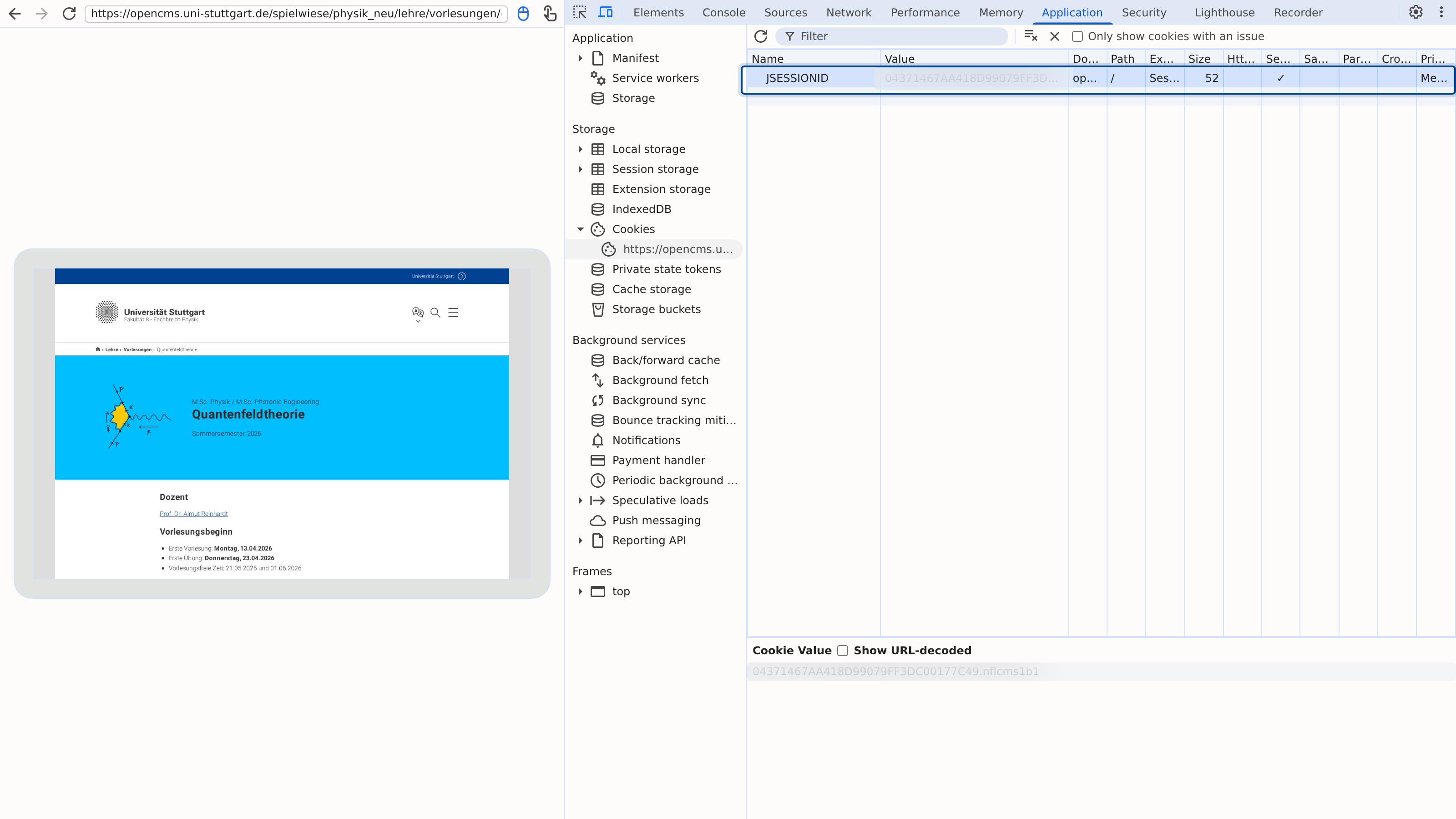 (enlarge)
The session cookie is copied from the browser you already have open. The agent never sees a password. Save the value, with the host, as
session.jsonin the working directory:{ "JSESSIONID": "<copied value>", "Domain": "<the CMS host>" }The file is the only credential the agent ever sees. If the directory is under version control, add the file to
.gitignoreso that it never enters the history. Stay logged in for as long as the agent is working: logging out in your browser ends the agent’s access at once.The manifest states the authentication policy:
Describe the change
Start the agent inside the container (type
claude) and describe the task in plain words, naming the site and the page:Prompt to the agent:Update the lecture page for the winter term with the new time and room: Tuesdays 14:00–15:30, seminar room 4.
The agent reads both skills first, because the container’s rules require it, and checks that the session is alive. If the session has expired, the agent stops and asks for a fresh cookie rather than reporting an empty result as fact.
Notice what you have and have not supplied. You gave the new time and room, and the agent will put those words on the page. You did not ask for a description of the course, and the agent will not write one: the skill forbids inventing or rewording page text. If a field is missing or too long, the agent asks.
The agent reads the page
Before the agent opens anything, it finds the page and reads what is there through the search service of OpenCms. Reading this way costs nothing: no browser, no session, no lock on the page. From the site skill the agent knows where lecture pages live and how they are laid out; from the search service it learns which elements the winter-term page has, which field holds the time and room, and what that field says today. The agent then states its plan:
The agent replies:The page has one intro box and one text block. The current text says “Wednesdays 10:00–11:30, lecture hall 2”. I will open that block’s content editor, replace the sentence with the new time and room, save, and leave the page unpublished for you to review. Nothing else on the page changes.
The same exchange in the terminal:
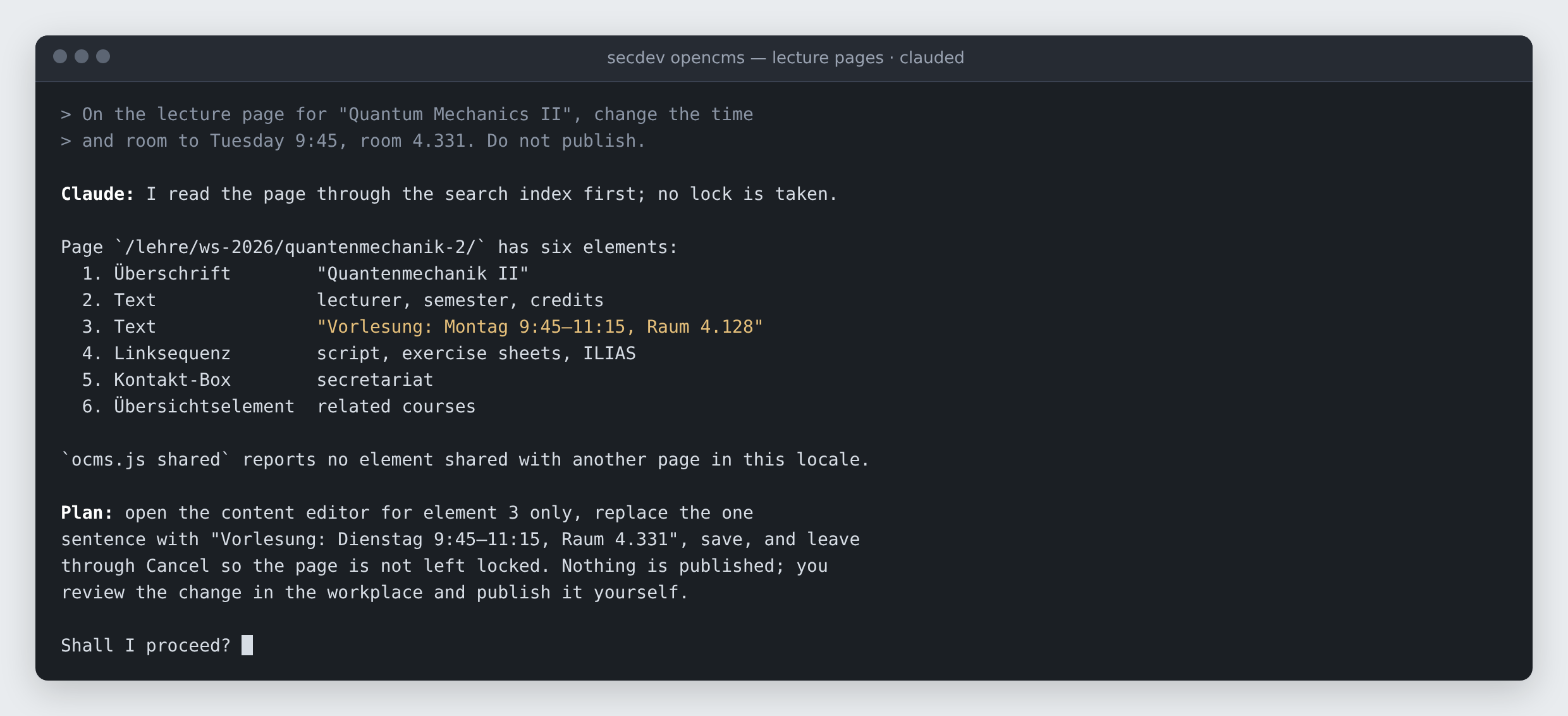 (enlarge)
The agent reads the page through the search service and states its plan before it opens an editor. The skill states the principle behind the reading step. It names the search service by its product name, Solr, and names the two scripts for the only writes that need no browser. CMIS and WebDAV are two standard editing interfaces the university’s installation lacks:
The agent makes the change
With your go-ahead, the agent makes the change through a headless browser, a real browser with no window, driven by script. It opens the content editor for the one text block, sets the field, saves, and leaves the editor cleanly, so that the page is not left locked for other editors: OpenCms locks a page while someone edits it, and the skill’s scripts release that lock even when a step fails.
Two things the agent will not do, whatever you ask: log out, because the session is yours and logging out ends it for you too; and edit outside the page you named, because the skill only lets it change what you named. The editor with the one changed field:
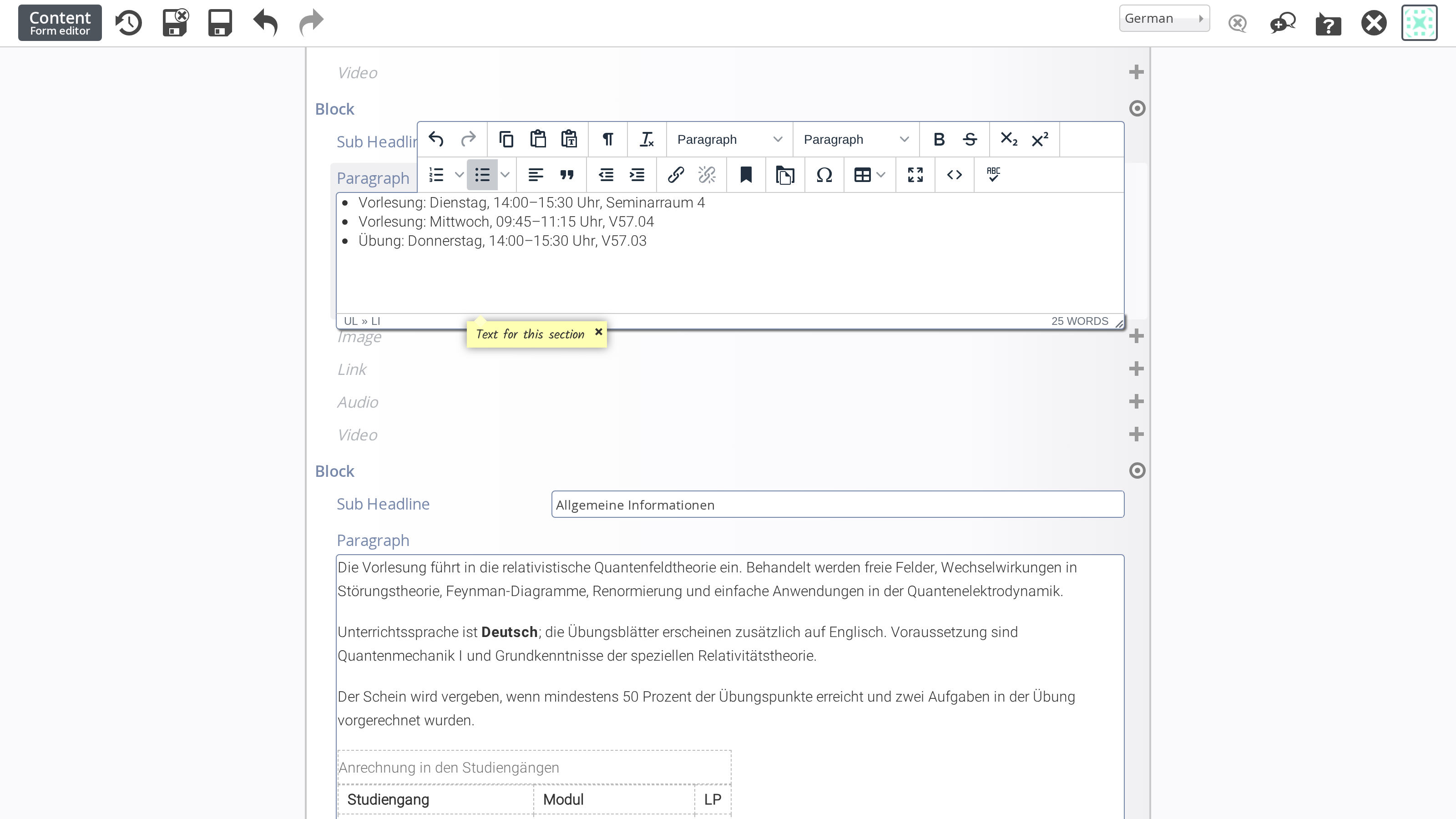 (enlarge)
The agent changes one field in one editor and leaves it cleanly, so the page is not left locked (German interface: Dienstag means Tuesday, Seminarraum seminar room). Approve the publication
The change now exists as an unpublished draft. The agent shows you what it did, the old text, the new text, and a check that the value was saved, and asks whether to publish.
OpenCms can also publish every unpublished change in the whole site (OpenCms calls this a project), including colleagues’ half-finished pages. The agent never does that: it publishes only the page you named and the shared elements that belong to it, such as a contact box shown on several pages, and tells you beforehand what would go live:
The agent replies:Ready to publish: 1 resource, the lecture page. Publish now?
After publishing, the agent checks the public page as an anonymous visitor would see it, not the editor’s success message, and reports the result.
Hand in the friction log
While it works, the agent keeps a friction log: a note of every place the skill was wrong, unclear or silent, such as a wrong command, an ambiguous instruction or a missing answer. At the end the agent offers you that log. Sending the log to the institute’s report tracker is optional and never automatic: the agent shows a redacted preview, and you decide.
Those logs are how the skill gets better. Evolving skills describes how a filed log becomes a change to the skill.
How the skill was built and is improved
The skill, its reference documents and its scripts were not written from a manual in one sitting. They were bootstrapped in three stages, each of which left the next with a better skill to start from:
- Reading the documentation. An agent read the complete OpenCms documentation of the university’s IT centre, the only written source on how the shared template is meant to be used, and distilled it into a first version of the skill.
- Exercises. Several hours of dedicated runs explored how OpenCms actually behaves: give a fresh agent a live task, watch where the written instructions fail, and fix the instructions rather than the agent. Every script in the skill comes from a trap found this way.
- Production work. Since then the skill has been used for real editing jobs, with the friction log of every session and the institute’s report tracker carrying the findings back into the skill.
The second stage is the one that shaped the skill most. The project calls one such run an exercise, and every exercise runs through the same loop:
Four rules make an exercise a measurement rather than a demonstration. During the run, the agent
- works only from the skills as written,
- reads no project history and no earlier logs,
- does not fix the skills while it is following them,
- logs every point of friction verbatim.
Afterwards each finding goes into the narrowest place it belongs: the generic skill if the finding is about OpenCms itself, the site skill if it is about one site, and a dated defect note, never the skill, if it is a defect in the running system that will one day be fixed.
Exercises ran partly in a designated practice area of the site and partly on the institute’s live pages, from a single page edit up to an editorial review of the whole site. In everyday use the loop is the same: each editing session’s friction log plays the part of an exercise, and the report tracker keeps the records; Evolving skills describes that loop.